 KinLoom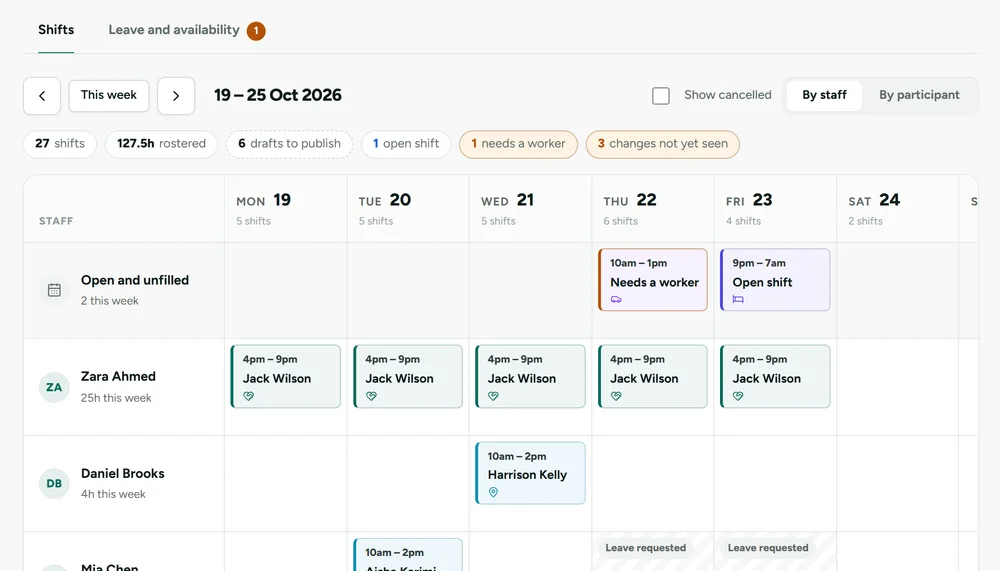
Award pay and Xero Payroll
Calculate SCHADS award pay with PAYG and super from approved timesheets, and sync pay runs to Xero Payroll for Single Touch Payroll Phase 2.
Your staff open your app, at your web address, with your name, logo and colours. Rostering, verified shifts, NDIS shift notes, incidents and compliance, all in one place. Set up in a few minutes. Plans from $49 a month.
Your name, logo, colours and app, all under your brand.
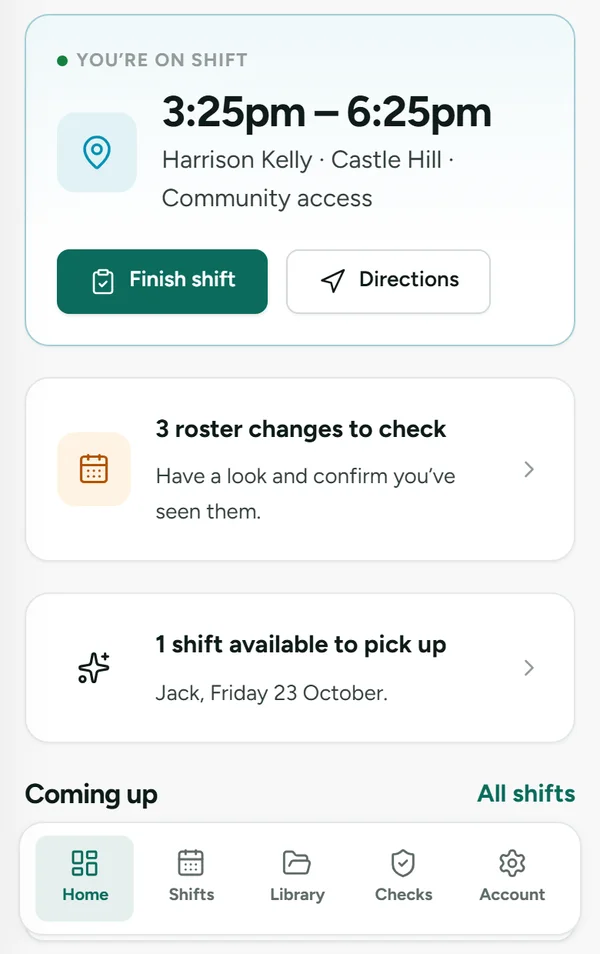
Every step of a support shift connects to the next, so details are entered once and nothing slips through.
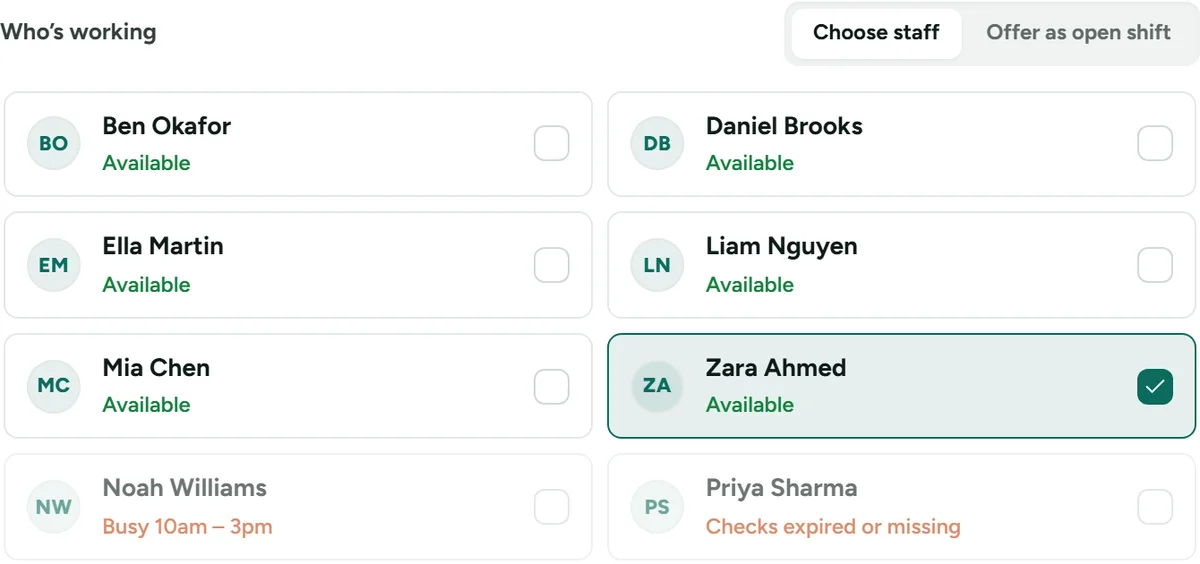
Coordinators see who’s free as they build the week. Staff with expired checks or a clash can’t be rostered, short breaks are flagged, and every change is confirmed by the worker.
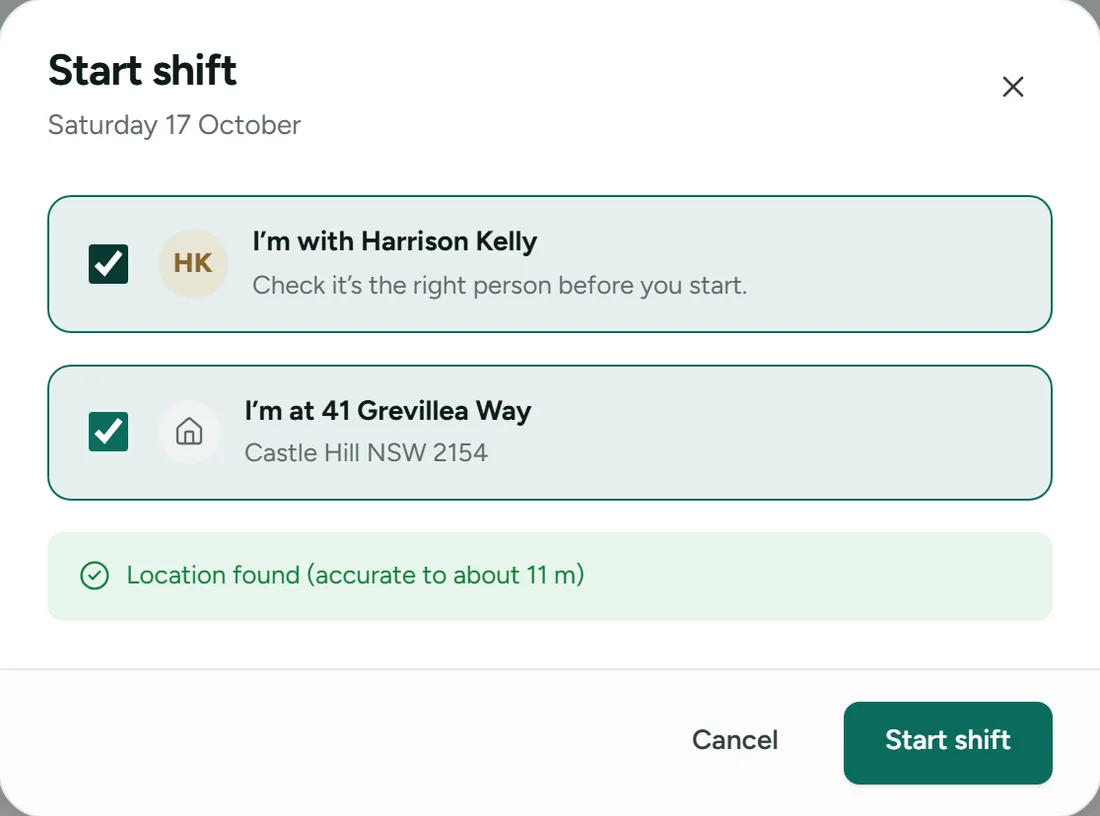
The worker confirms the participant and the address. Time and GPS position are recorded as proof, and anything unusual is flagged for review.
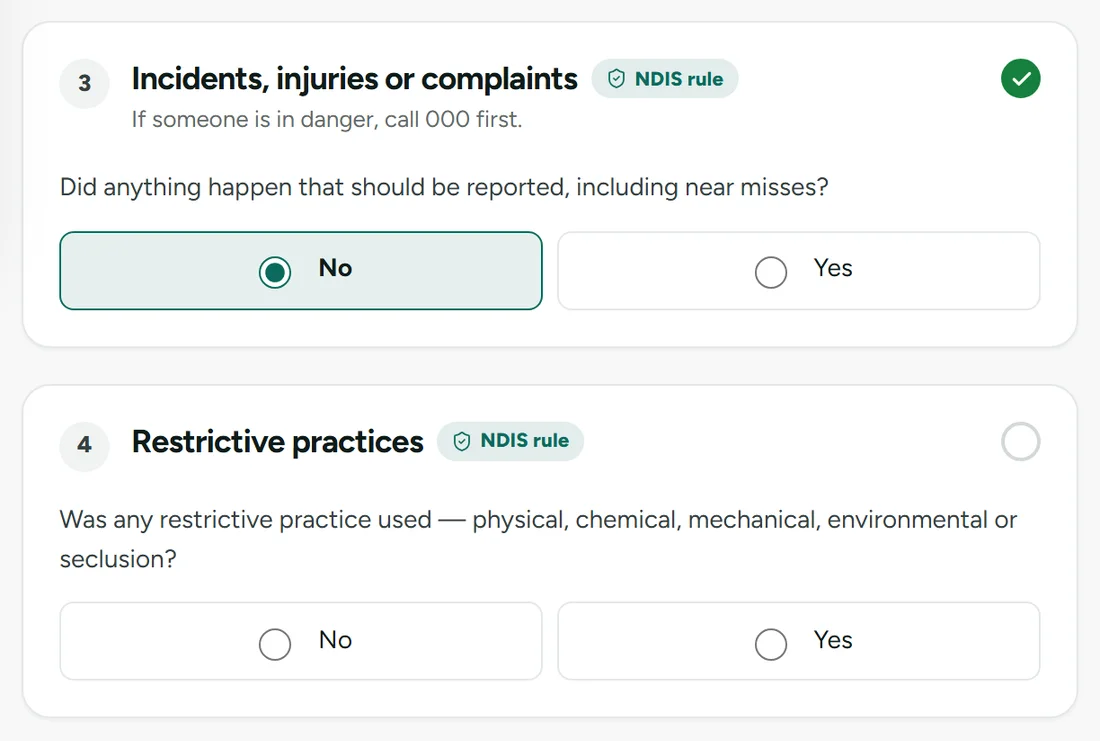
A shift can’t end until the progress note, medication, incidents and restrictive practices are recorded. Reportable incidents start the NDIS Commission clock automatically.
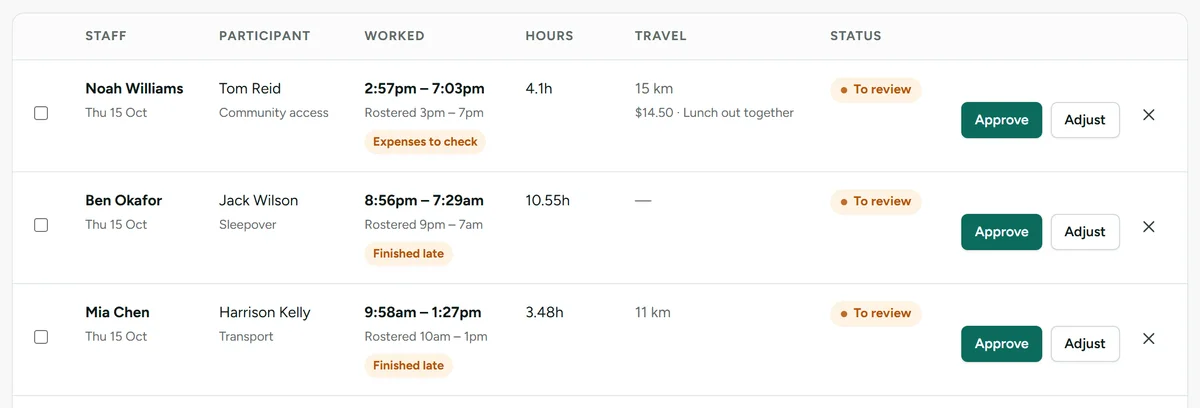
KinLoom compares the actual times and location with the roster. On-time shifts are approved automatically. A late finish, an incident or expenses wait for a manager, with the reason shown. Pay runs and Xero Payroll are coming soon.
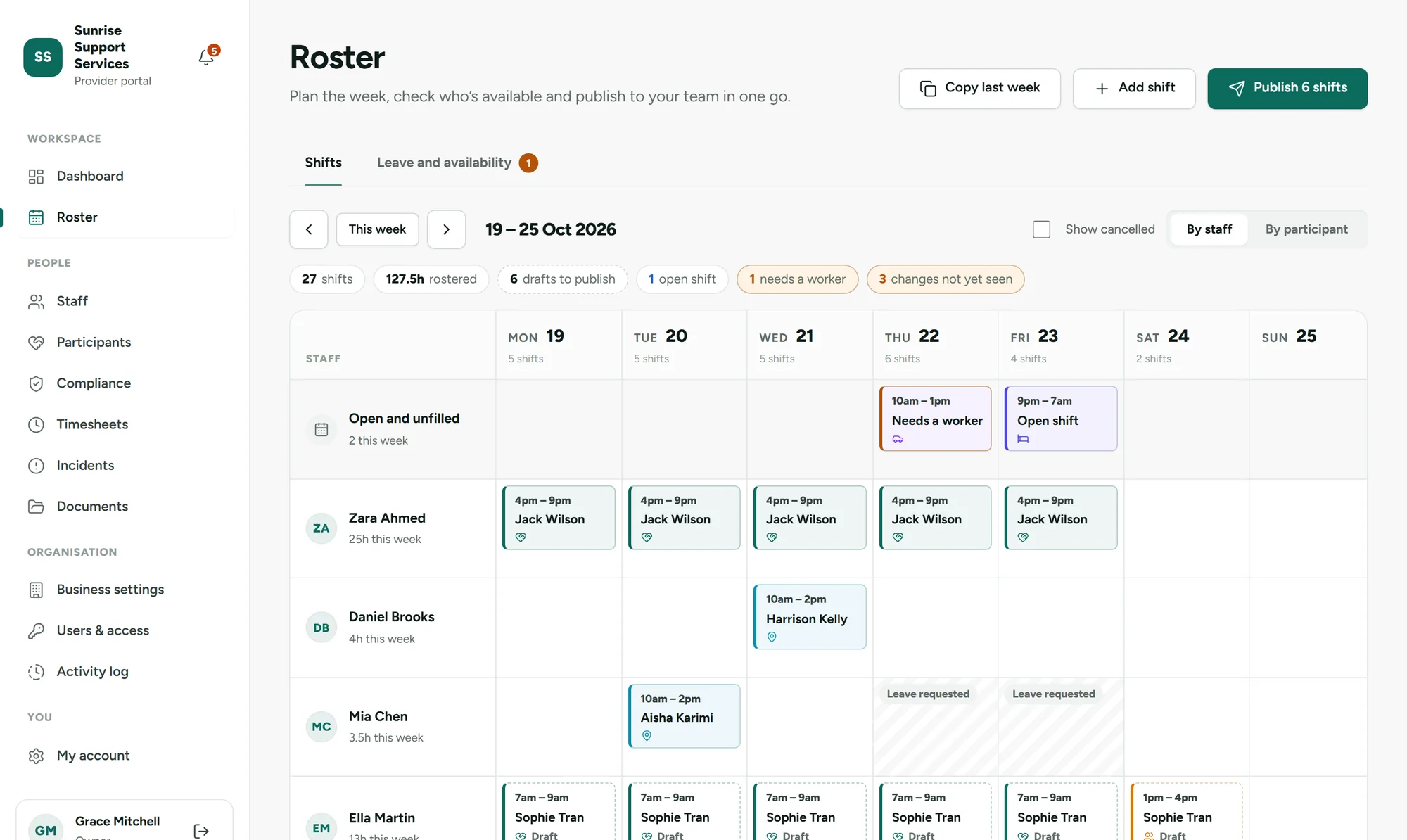
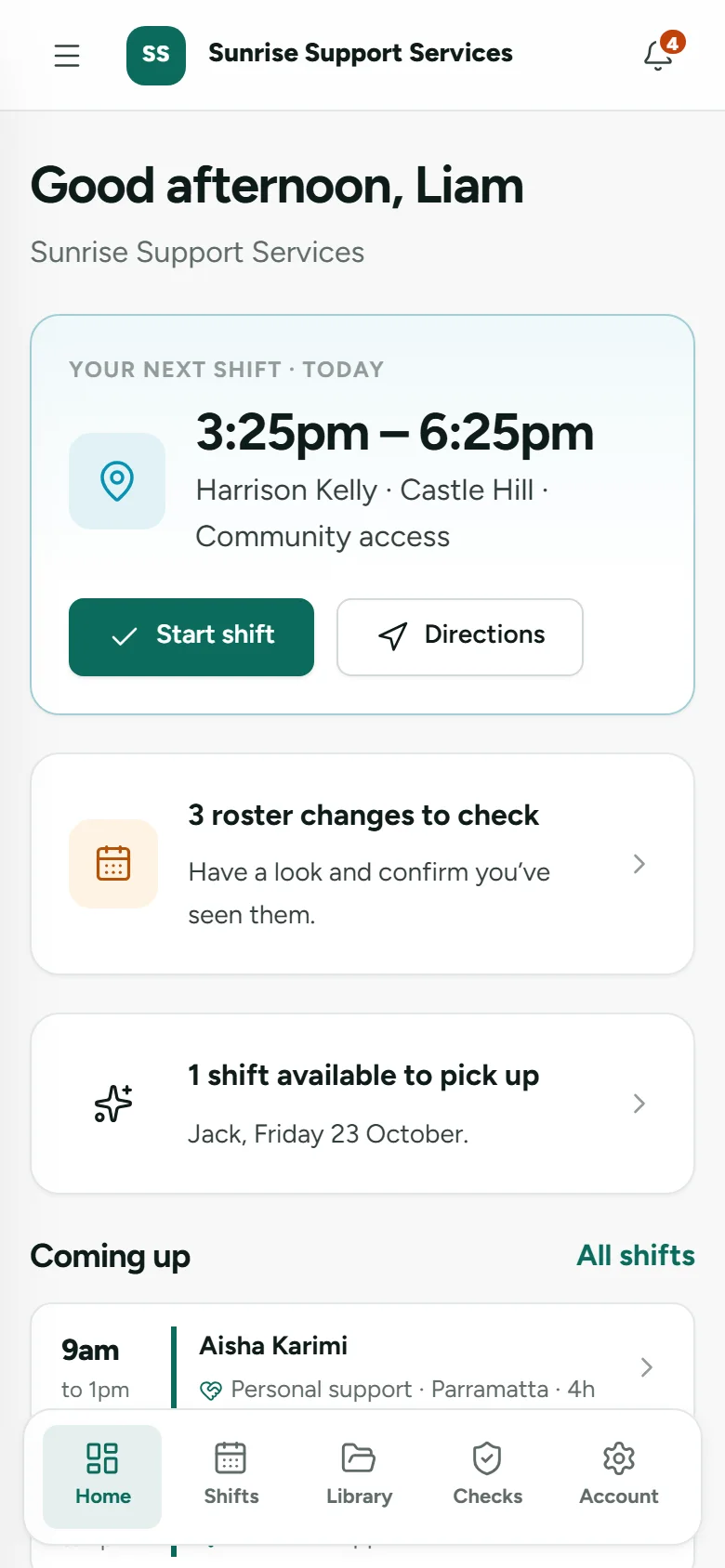
Build the week on one screen, see who’s free before you assign anyone, and publish to everyone’s phone at once. Workers confirm every change, and they only ever see the participants they’re rostered with.
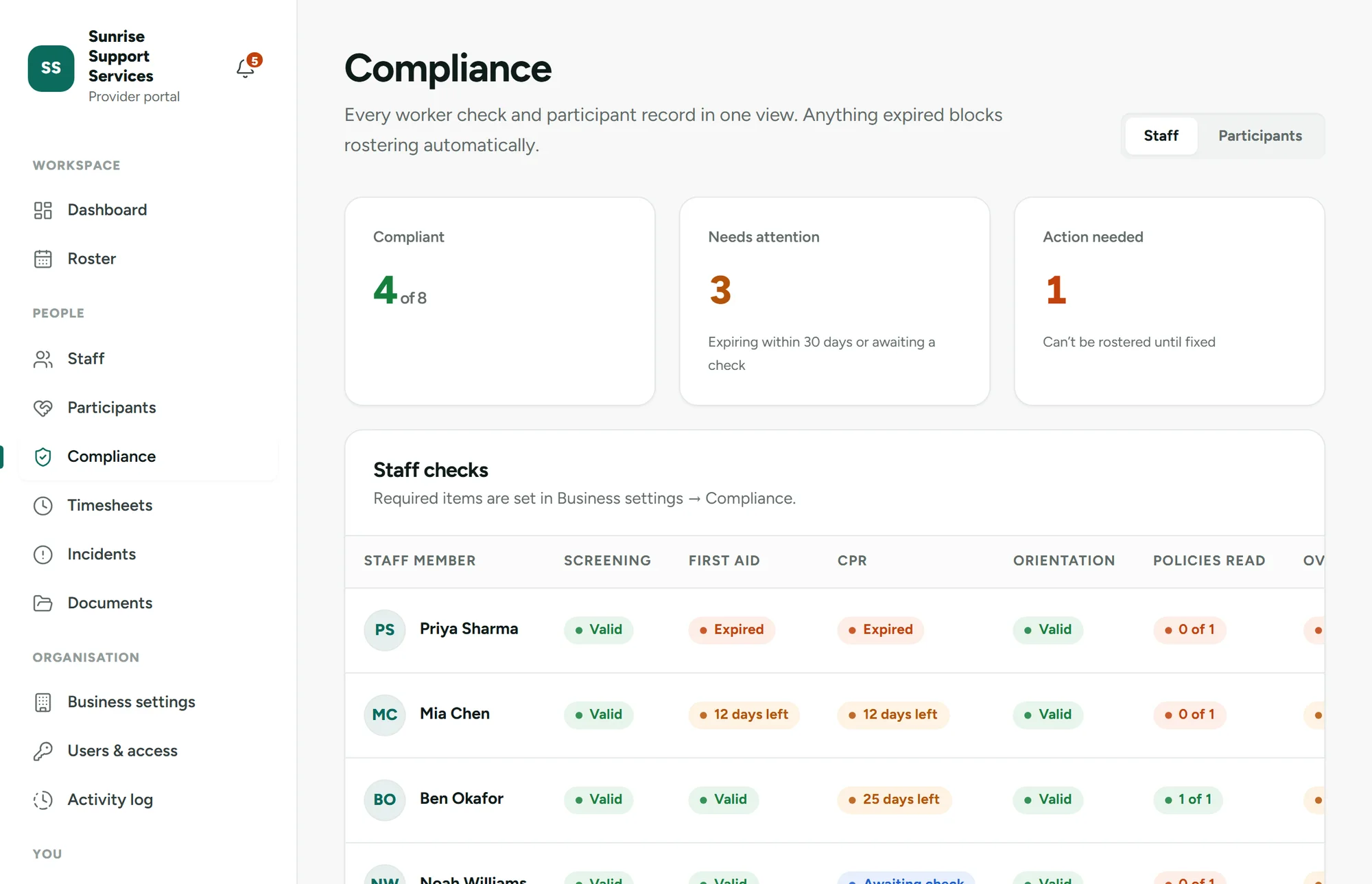
Worker screening, WWCC, first aid and training are tracked with reminders before anything expires. Policy acknowledgements sit alongside every check, so when an auditor asks, the evidence is already in one place.
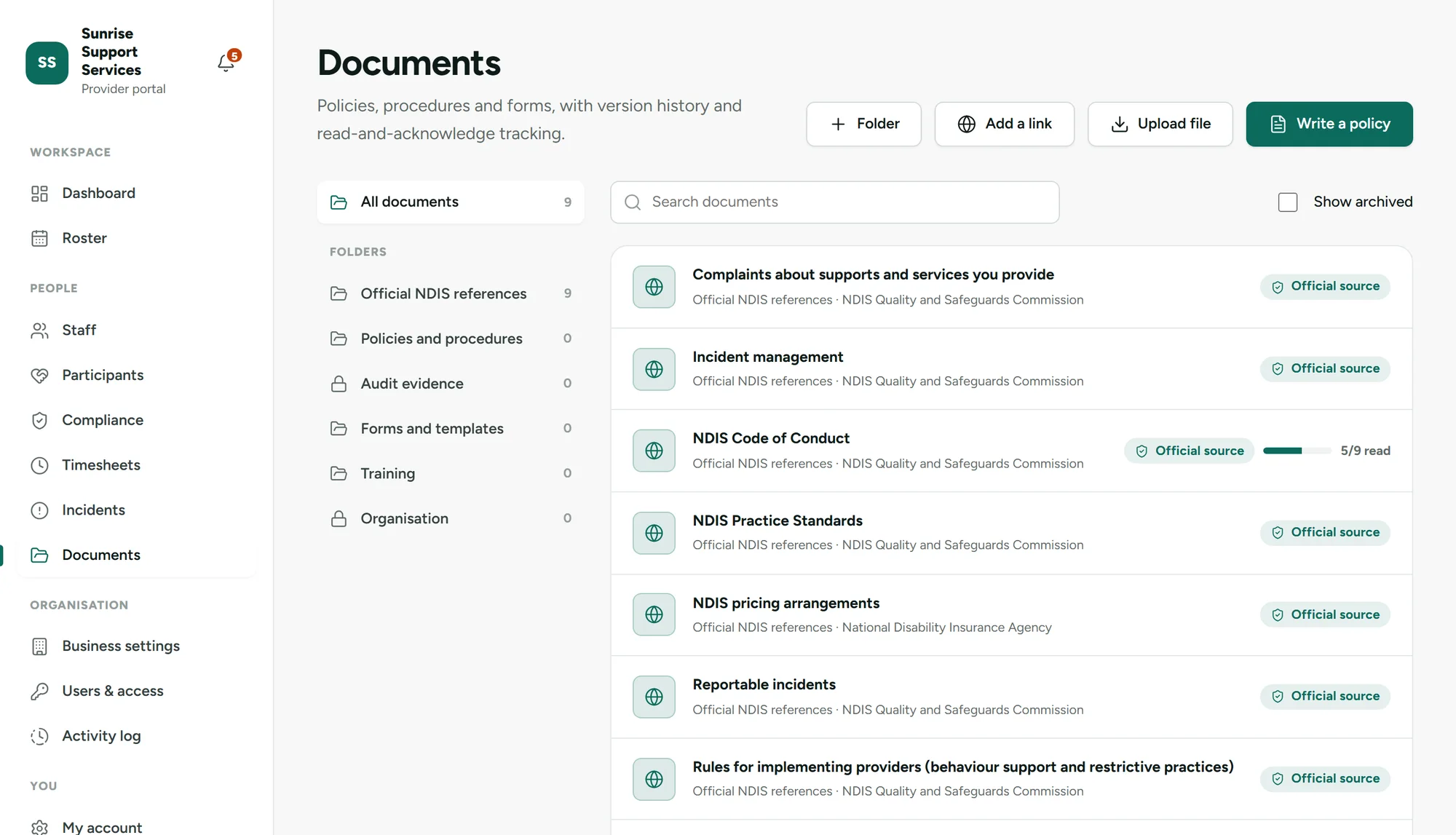
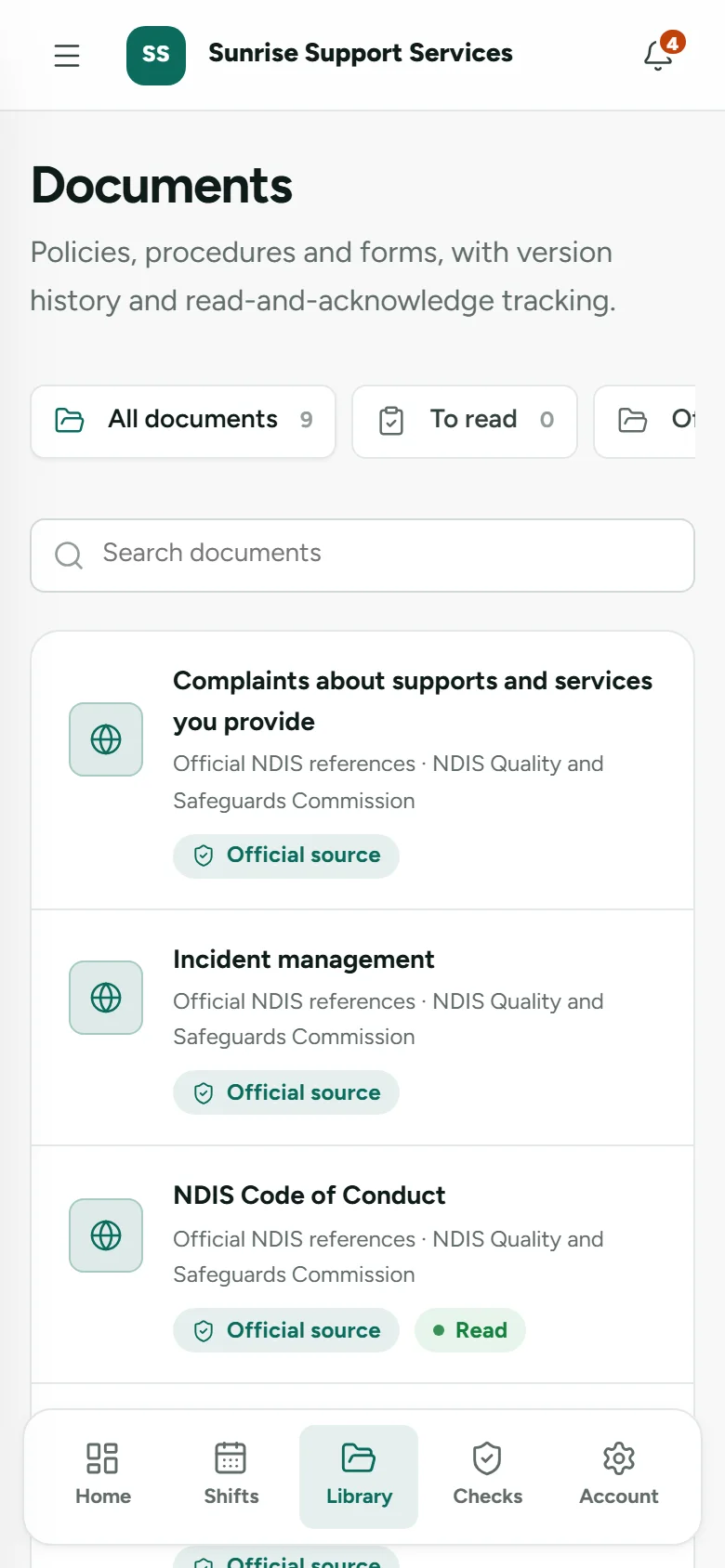
Upload the policies you already use, write new ones in KinLoom, or link to trusted sources. Staff read them on their phone and confirm with one tap, and you can see exactly who still needs to read each version.
These are in development and will be included in your plan at no extra cost. We’ll show them here with real screenshots as soon as each one is ready.
Calculate SCHADS award pay with PAYG and super from approved timesheets, and sync pay runs to Xero Payroll for Single Touch Payroll Phase 2.
A professional website for your organisation on your own domain, with enquiries from participants and families landing straight in your portal.
Participants and families see their upcoming supports, the workers coming and how their plan budget is tracking.
Disability support records are among the most sensitive information a business holds. Here’s how KinLoom looks after them.
All participant and staff records live in Google Cloud’s Sydney region.
Support workers only see the participants they’re rostered with. This is enforced by the database itself, not just hidden on screen.
Every provider’s data is kept separate and encrypted in transit and at rest. Automated security tests try to cross between providers and must fail.
Shift notes, incidents, attendance and policy acknowledgements are stored with who and when, as evidence for the NDIS Practice Standards.
Priced by team size, not per person. Unlimited participants, no setup fees, no lock-in. 14 days free.
1 to 10 staff
$53.90 a month including GST
11 to 25 staff
$141.90 a month including GST
26 staff or more
$328.90 a month including GST
Every plan includes everything
Website care will be an optional add-on (coming soon). Your domain and email, such as Google Workspace or Microsoft 365, stay in your name and are paid directly by you.
Many NDIS platforms charge for each person who logs in.
Per-user figures use a publicly listed mid-tier plan for Australian NDIS software: $13 per user per month, billed annually, with a minimum of five users (checked October 2026). All prices exclude GST.
Straight away. Enter your business name, create your login and your portal is live at yourname.kinloom.com.au. A setup guide then walks you through your business details, branding and inviting your team.
It depends on the size of your team: Starter is $49 a month for up to 10 staff, Team is $129 for 11 to 25 staff, and Unlimited is $299 for 26 or more (all plus GST). Every plan has every feature and unlimited participants, and features we release later, like pay runs and the client portal, are included at no extra cost. Website care will be an optional add-on. There are no setup fees and no lock-in contract.
No app store needed. Workers open their invitation, set a password and add your app to their home screen on iPhone, Android, Windows or Mac. Shifts and care notes stay available with patchy signal, and end-of-shift notes are saved on the phone until they’re back online. Notifications appear in the app today; phone push notifications are coming soon.
No. Workers only see the participants they’re rostered with, and access ends automatically a week after their last shift. This is enforced by the database itself.
Partly. Today KinLoom turns every verified shift into a timesheet, approves on-time shifts automatically, and lets you review, adjust and export the rest for your payroll. Award pay with PAYG withholding and super, and a sync to Xero Payroll for Single Touch Payroll Phase 2, are in development.
It’s coming. Today your organisation gets its own address at yourname.kinloom.com.au for your branded staff app. A website builder with your own domain and enquiries straight into your portal is in development, and it will be included at no extra cost. See how connecting your own domain will work.
You’ll be inside your own workspace in a few minutes, with no demo call and no credit card.